

Last updated: 25 November 2026
Quick answer: Preeti is an older Nepali font that shows Devanagari letters by swapping the shapes of normal English (ASCII) characters. The text only looks Nepali if the Preeti font is installed, so on phones, websites and social media it turns into random English letters. To fix it, convert it to Nepali Unicode, the standard way of storing Nepali text that works everywhere. You can do it free with our Preeti to Unicode converter.
What is Preeti font?
Preeti is a non-Unicode ("legacy") Nepali font that has been widely used in Nepal for decades, especially in government offices, schools, newspapers, printing presses and on official documents. When you type in Preeti, your keyboard still sends normal English letters. The font simply draws them as Nepali letters.
Why does Preeti text look like gibberish?
Because the computer actually stores English characters. On a device without the Preeti font, the letters appear in a normal font, so text written in Nepali turns into a meaningless string of English letters. This happens when you:
- paste Preeti text into Facebook, WhatsApp, email or a website;
- open a Preeti document on a phone or a computer without the font;
- search for Preeti text on Google, which can't read it as Nepali.
What is Nepali Unicode?
Unicode is the international standard that gives every character, in every language, its own code. Nepali uses the Devanagari block of Unicode. Text in Unicode is stored as real Nepali letters, so it:
- displays correctly on any phone, computer or browser;
- can be searched on Google and found by AI assistants;
- can be copied and pasted anywhere without breaking.
Preeti vs Unicode: what's the difference?
| Preeti | Nepali Unicode | |
|---|---|---|
| Type | Legacy font (ASCII-based) | International standard |
| Works without installing a font? | ? No | ? Yes |
| Works on phones and social media? | ? Shows gibberish | ? Yes |
| Searchable on Google? | ? No | ? Yes |
| Still used for | Older documents and some offices | Websites, apps, modern documents |
How to convert Preeti to Unicode (step by step)
- Open the Aafnopan Preeti to Unicode converter.
- Copy your Preeti text from Word or any document. It will look like English letters, and that's normal.
- Paste it into the input box.
- The tool converts it to Nepali Unicode instantly.
- Copy the Unicode text and paste it into Facebook, WhatsApp, Google Docs, websites or any app.
Tip: always proofread the result. Unusual characters, numbers or special symbols sometimes need a quick manual fix.
How do I type directly in Nepali Unicode?
- Windows: add the Nepali keyboard in Settings ? Time & Language ? Language ? Add a language ? Nepali. Choose the traditional or a phonetic (Romanized) layout.
- Android and iPhone: add the Nepali keyboard in your keyboard settings (for example Gboard or the iOS keyboard).
- Romanized typing: lets you type Nepali by spelling words in English letters, for example "namaste".
Is Preeti still used?
Yes, but less and less. Many offices and printers in Nepal still have documents in Preeti, which is why converters are so useful. For anything online, Unicode is the better choice.
Other free Nepali tools on Aafnopan
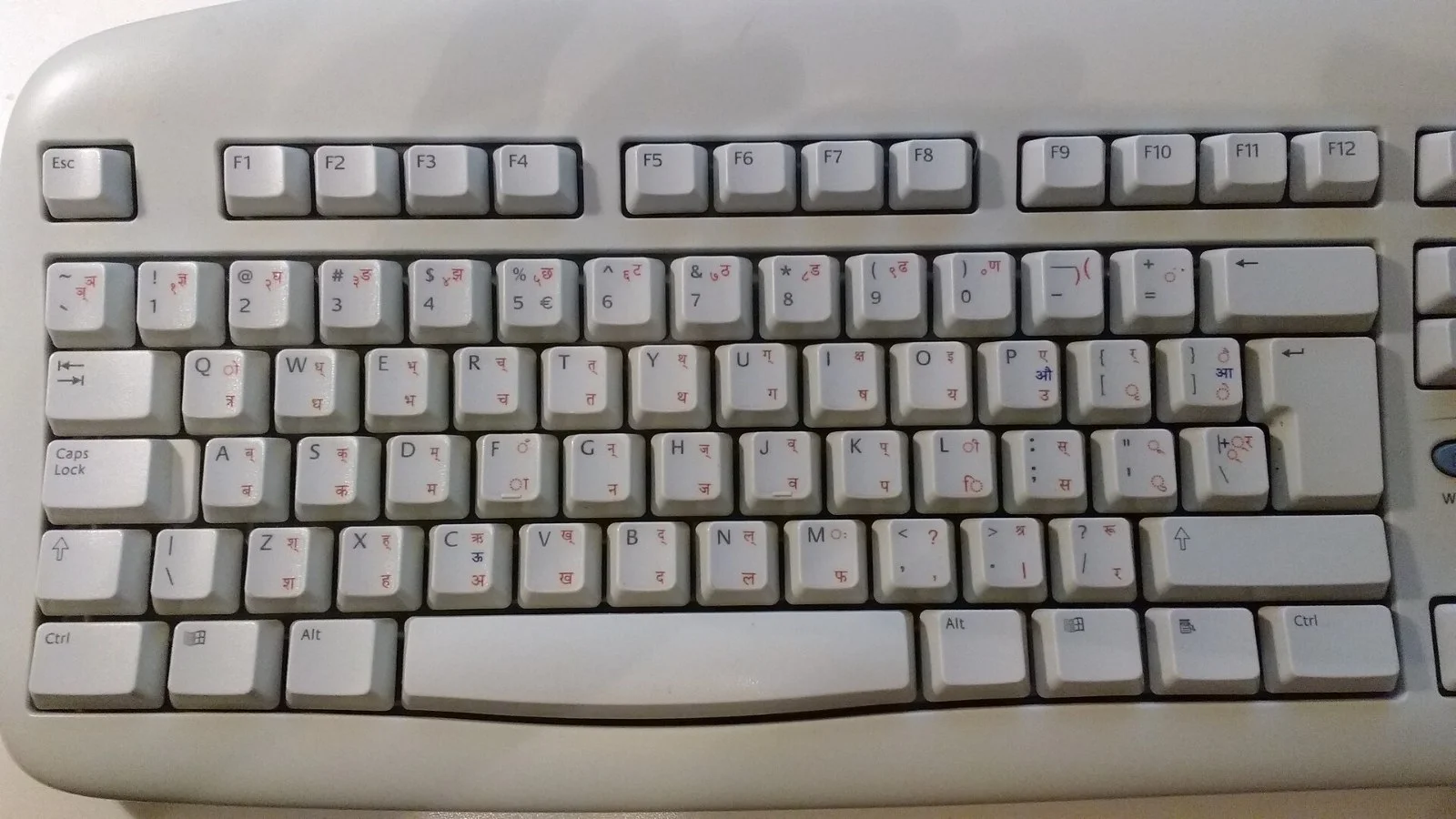
Featured image: "Devanagari Nepali layout (traditional)" by Evert Mouw, CC BY-SA 4.0 (cropped), via Wikimedia Commons. Based on the Unicode Standard (Devanagari block) and common Nepali typing practice. Image: Nepali traditional keyboard layout, via Wikimedia Commons.















Comments 0
Leave a Comment
💬
No comments yet. Be the first to share your thoughts!